Turtle Beach Command Series KB7 & KP7 Review
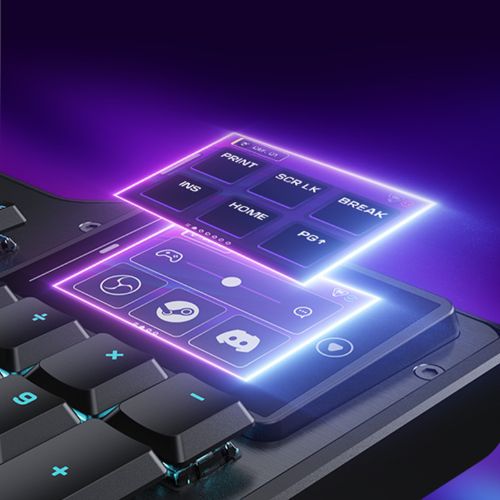
Don’t ya just love a fresh piece of hardware? We all know the feeling of unboxing new tech we’re excited for. That unmistakable glee when you first pull something out of its packaging. That feeling of being a kid? Magical, ain’t it? The Turtle Beach KB7 did all of that for me. And I think it’s because Turtle Beach’s Command Series keyboard immediately breaks the mold. The 4.3-inch touch display hit me the second it landed on my desk, and there’s no mistaking the ambition behind it. The future is now.

The KB7’s build is premium from every angle. The aluminum-reinforced chassis feels substantial and premium without being obnoxiously heavy. The included wrist rest is a detail that deserves more credit than it’ll probably get. It’s made of a clear, comfortable rubber, that allows lighting to bleed seamlessly into the rest pad. This also eliminates the dead zone where most keyboards just… end. It’s a small thing, but the cohesion it creates is pretty sweet. Fair warning, though — if you want something that sits quietly and minds its business, look elsewhere. The KB7 doesn’t demand your attention; it takes it.
Hall-Effect Heaven
On the typing side, the Titan low-profile Hall-Effect switches have me impressed. Hall Effect technology uses magnetic sensors instead of physical contacts, allowing the KB7 to offer adjustable actuation all the way down to 0.1mm. This was my first real experience with adjusting actuation points, and I gotta say, I’ll never be able to go back to a keyboard that doesn’t allow me to do this.

The pre-lubed feel produces a sound that splits the difference between thocky and creamy in a way that I can only describe as pure bliss. The compact keycap profile won’t win everyone over, however. Plenty of people prefer taller keys with more surface area, and that’s a fair preference. For those who can adjust to the lower height, though, each keystroke has a smoothness to it that I’ve really fallen in love with. The double-shot PBT keycaps feel built to last, and the textured WASD keys are a nice little touch.
It’s also worth noting that the KB7 ships without hot-swappable switches. At this tier — $199.99 USD for the keyboard, with the KP7 adding another $99.99 — it’s a glaring omission that’s too tough to swallow.
Most importantly, the 4.3-inch touchscreen truly is more than a gimmick. Turtle Beach built in native OBS and Streamlabs integration, giving streamers a dedicated control surface without needing a separate device. Beyond broadcasting, it handles profile switching, macro triggers, audio adjustments, and real-time system monitoring. And the 8K polling rate and 0.125ms latency are hard to argue with at this price point. Admittedly, it isn’t the snappiest screen I’ve ever used. But it’s also never felt slow or underpowered.
On Rails
Then there’s the KP7. The modular keypad connects directly to either side of the KB7 via dual rails, drawing power and data without needing a second USB port. Its design mirrors the keyboard closely — same switches, same build quality — and as a physical unit, it works well. And I’ve gotta give a special shoutout to the extended thumb bar and programmable scroll wheel. These two things have brought functionality to my keypad that I never knew I needed. The combined setup, for the most part, reads as one combined piece of hardware, and it’s just as much of a joy to use as the KB7.
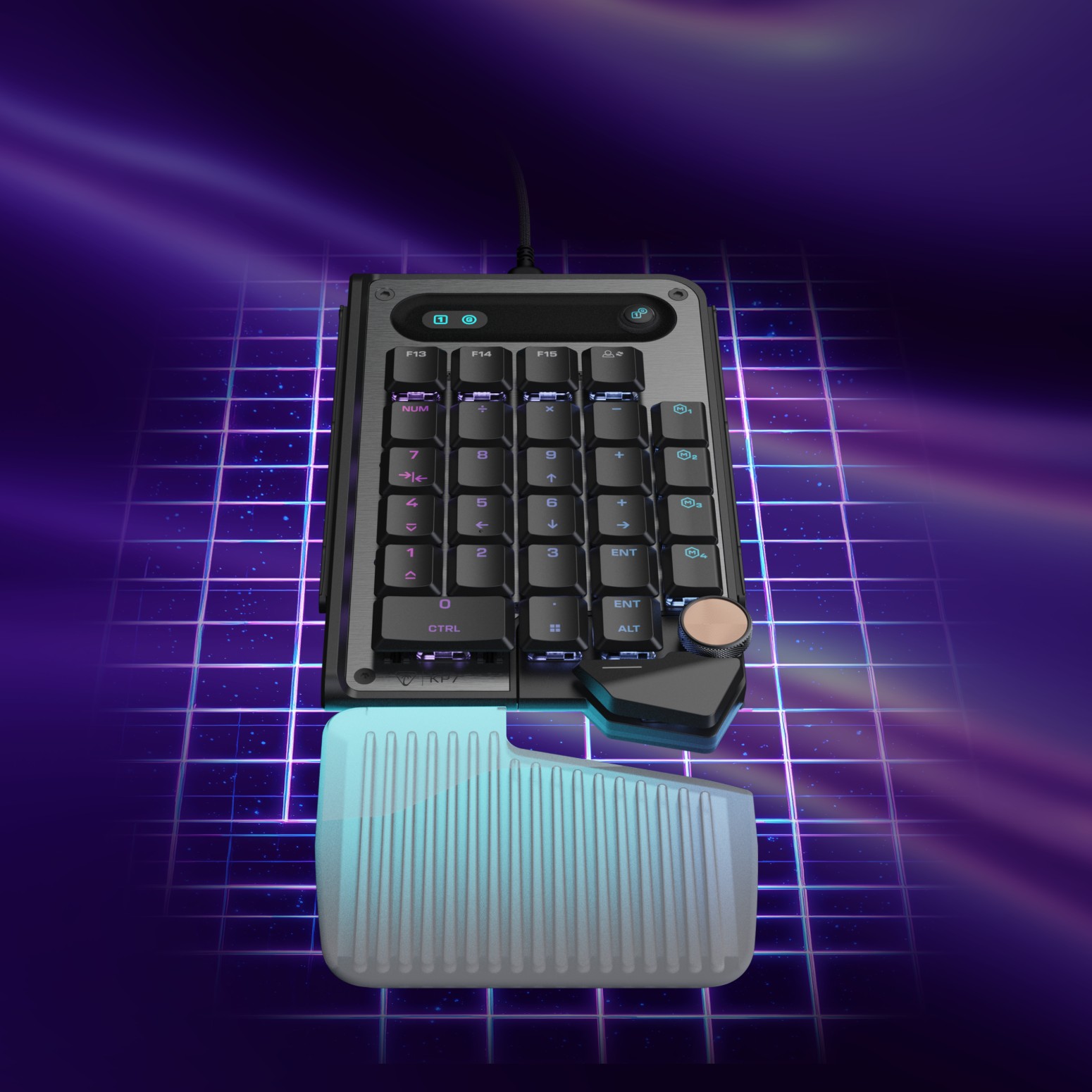
That said, the RGB synchronization between the two units isn’t quite there. Getting colors to flow cleanly from one end of the setup to the other has proven to be a fruitless endeavour. Whether that’s a firmware issue or a Swarm II (software) configuration quirk is hard to pinpoint, but the result is the same. Lighting that’s otherwise gorgeous falls short of its potential the moment you want both devices to behave as one.
Software Troubles
Which brings us to the elephant in the room… The Swarm II software is a disaster. Wait, no, disaster doesn’t adequately convey how bad this program is. For a keyboard this polished, it’s absolutely baffling how poorly its companion app performs. Let me fire off just a few of the issues I’ve dealt with since installing Swarm II. Device recognition is inconsistent. The initial firmware update required roughly ten attempts before it actually applied. Icons vanish from the interface at random, forcing me back into the software to reassign settings that already existed. The update prompt appears nearly every launch, telling me to install the version I already have. These aren’t quirks — they’re signs that this software simply isn’t working as intended.
Navigation is also its own problem. The layout is convoluted enough that basic customization feels like a chore. And, look, I know I’m supposed to be reviewing a keyboard here, but Swarm II is so integral to the KB7 experience that it’s impossible for me to ignore. The hardware is exceptional, but unless something drastic changes, I think it will always be somewhat limited by its software.
I really don’t want my opinions on Swarm II to do an injustice to how much I like the keyboard, however. The day-to-day experience with it has been nothing short of phenomenal. Rocky start aside, I’m looking forward to the next several years with this as my daily go-to.
The Turtle Beach Command Series KB7 and KP7 are easy recommendations. Just be warned that the software required to fully utilize said items is atrocious. The large touchscreen is a game changer, typing feels and sounds wonderful, and the modular system is a smart idea, well executed, but there’s an almost unbelievable gap between what Turtle Beach built and what they use to support it. If you’re okay with some growing pains, Turtle Beach won’t disappoint you.
***The Command Series KB7 & KP7 were provided for this review***
The Good
- Touchscreen is great
- Sounds phenomenal
- Feels like a dream
- Beautiful RGB
- Smart modular design
The Bad
- Swarm II is an abomination
- Can’t swap switches
- Price point might be high for some