Turtle Beach Command Series KB5 Review
Have you read our KB7 review? Do it. If you have, you’ve got a pretty good sense of what to expect from the KB5. Undeniably, the two share the same design philosophy, the same Swarm II software ecosystem, and the same ambition: put a touchscreen on your keyboard and make your desk feel like a damn command center. At $149.99 USD ($50 less than the KB7), the KB5 is the more affordable sibling. It comes with a full-size mechanical board that trades the KB7’s hall-effect switches and larger 4.3-inch display for Titan low-profile mechanicals and a more compact 2.4-inch touchscreen. Whether that trade-off makes sense depends entirely on what you’re after.
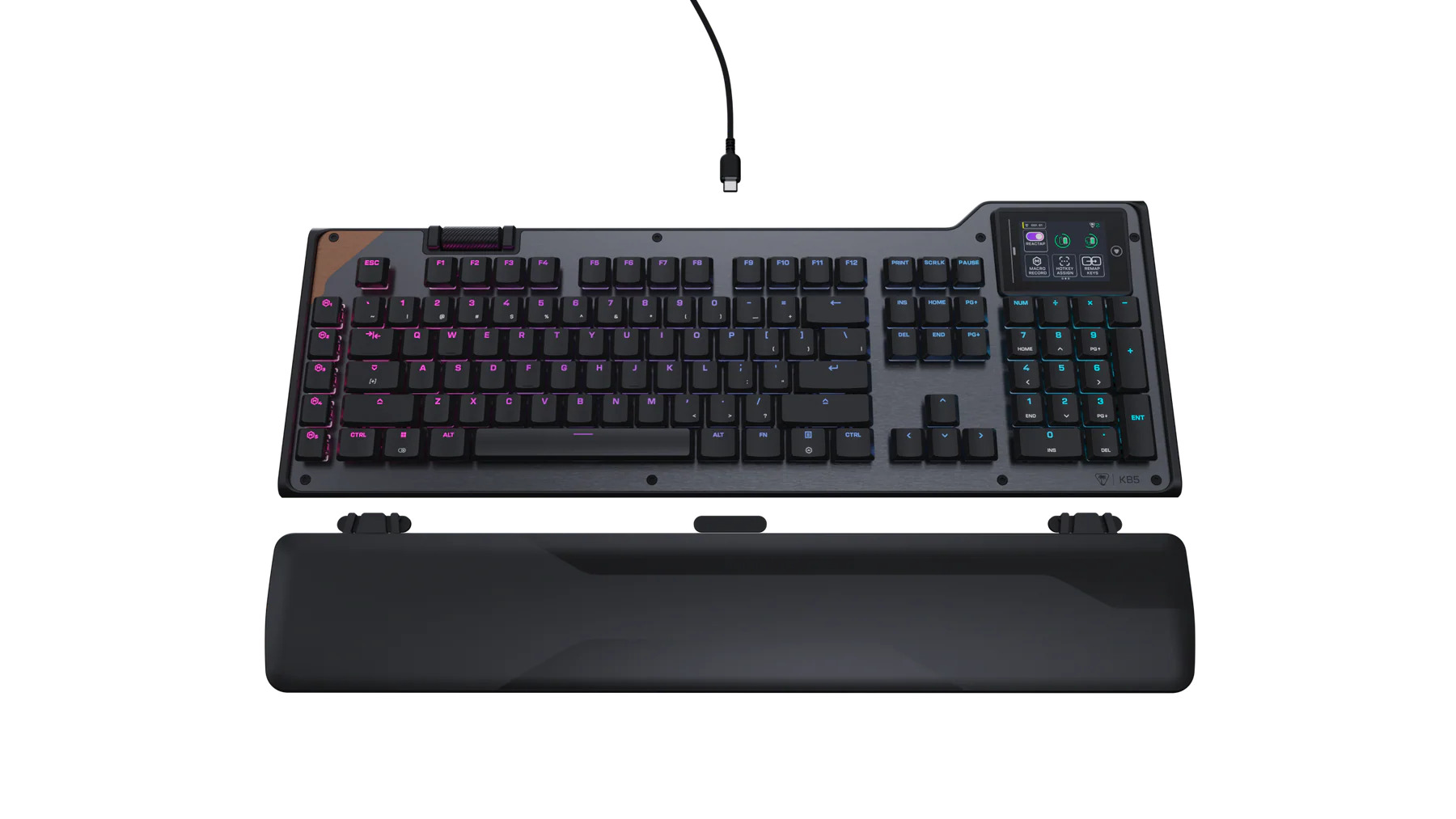
Right out of the box, and just like the KB7, the KB5 feels like a premium product. The aluminum-reinforced chassis is rock solid. There’s no flex, no rattle, and it’s obviously built to last. Turtle Beach has done a commendable job making the KB5 feel sturdy without making it feel heavy or cumbersome. The low-profile design keeps it sitting at just 27mm tall, which makes for a comfortable, flat typing angle that doesn’t require much adjustment coming from a standard board.
New Era Knobs
The volume roller deserves a special mention here. It sits top-mounted on the chassis, and it’s one of the best I’ve encountered on any keyboard. Seriously, the build quality on this thing is excellent. The resistance is just right, and every turn delivers a satisfying, precise response. It’s the kind of small detail that makes a big difference in daily use. Keycap removal is equally effortless thanks to the included puller, and maintenance tasks like cleaning dust or swapping keycaps are a breeze. Keyboard enthusiasts will take issue with the fact that the switches aren’t hot-swappable, but for the average user, the KB5 offers plenty in the way of customization.
The Titan low-profile mechanical switches are another highlight. They actuate at 1.2mm with a 42-gram force and a 3.1mm total travel distance. In short, this translates to a typing experience that feels snappy and responsive without being tiring over long sessions. The pre-lubed switches and tuned stabilizers keep things smooth and consistent, and the double-shot PBT keycaps add a nice tactile quality that holds up well under extended use. Though admittedly, the KB7’s magnetic Hall Effect switches feel much better. They’re even snappier, less mushy, and sound like heaven. Plus, the KB7 allows you to adjust actuation points. If you’re looking for a reason to justify the extra $50, this is probably it.
Touch This
The touchscreen is where things get a little complicated. On paper, it’s a genuinely cool feature. You can pull up system stats, fire off macros, manage audio, and even set a custom background image, all without alt-tabbing. The display itself looks sharp, and the ability to personalize it with backgrounds is a nice extra touch that adds personality to an already good-looking keyboard. RGB lovers will also find plenty to swoon over here; the per-key lighting is vibrant with a wide range of customization options, and the whole package really does rival anything else in this price range.
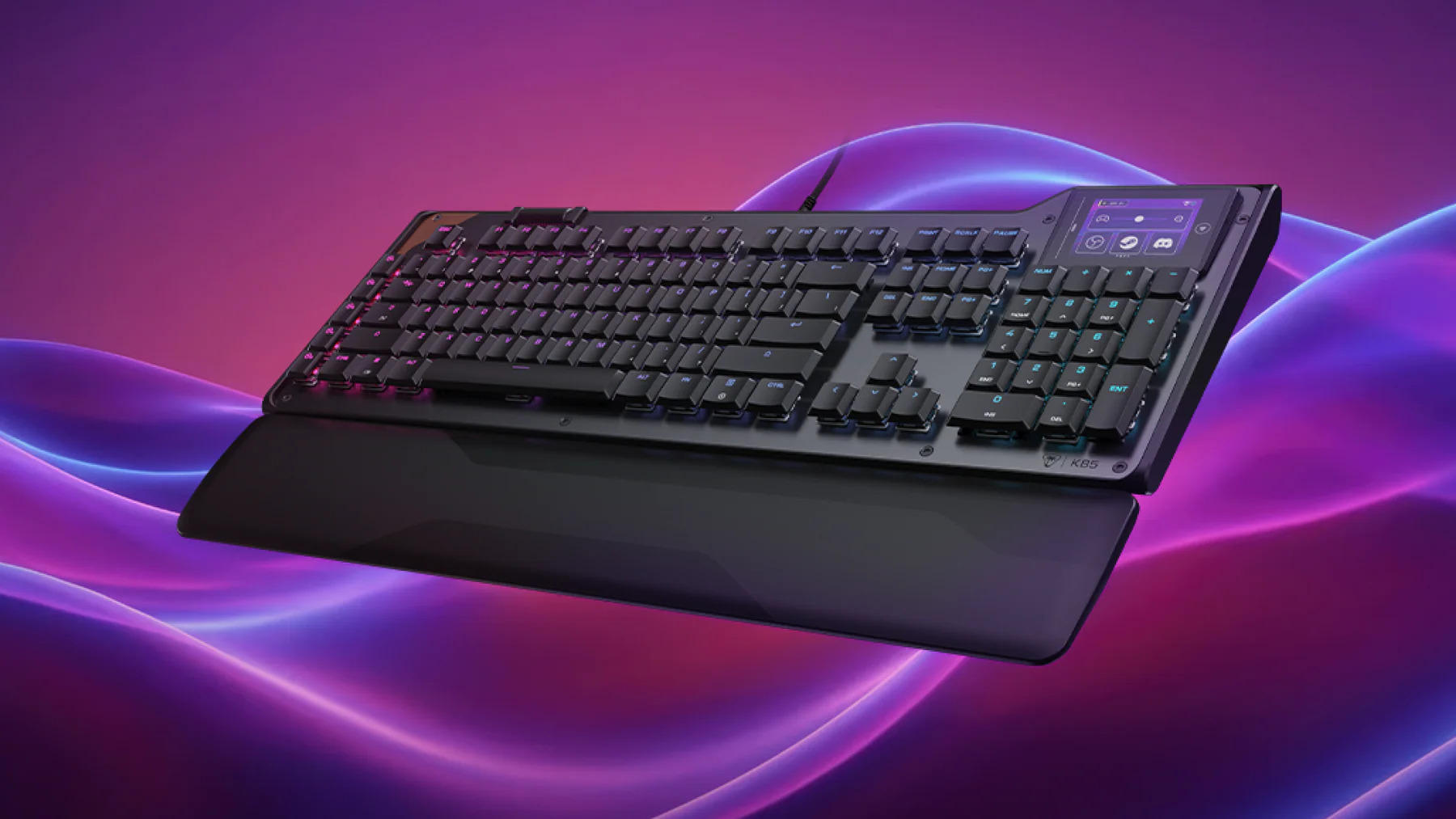
That said, the touchscreen has some issues. The buttons on the display felt noticeably less accurate than those on the KB7’s larger screen. Missing a tap or landing on the wrong button entirely was a common enough occurrence that it became downright frustrating. The precision just ain’t what it should be at this size, and when you’re desperately mashing a screen to change some weak Spotify track that’s ruining your flow, that inconsistency adds up. It’s also worth repeating something I noted in the KB7 review: the screen’s functionality is heavily dependent on Swarm II being open and active. Without it, the display feels underutilized.
Swarm II
I won’t spend as much time on it, but naturally, the Swarm II software is the KB5’s biggest obstacle. With tears in my eyes, I’m here to say it carries over every bit of frustration I documented with the KB7. The software is a headache to navigate, and the process of getting third-party apps like Spotify to communicate with it reliably ranges from pain and despair to “I never want to use a computer again.” When it works, the potential is obviously there. When it doesn’t, which is far, far too often, you’re left wondering if the touchscreen hardware is just ahead of the software that’s supposed to drive it. Turtle Beach has clearly invested heavily in the idea behind Swarm II, and the foundation is there. But the execution still needs tons of work before it can live up to what this keyboard promises.
I’m a bit torn on the KB5. The build is exceptional, the typing experience is smooth and satisfying, and the volume roller is sweet. The RGB and touchscreen customization options make it eye-catching, and for everyday users, the keycap accessibility and macro flexibility check every practical box.
Where it stumbles – the touchscreen accuracy, the software dependency, the Swarm II reliability issues – are the same places the KB7 stumbles. If you can accept that the software side of this ecosystem is still maturing, the KB5 is an impressive mechanical keyboard. But, even still, I’m not convinced saving 50 bucks is worth what you’d be losing out on with the KB7.
***The Command Series KB5 was provided for this review***
The Good
- Great customization options
- Beautiful RGB
- Satisfying typing experience
- Volume Roller
- Solid, attractive build
The Bad
- Relies too heavily on Swarm II
- Switches are not swappable
- Touchscreen can be unresponsive
- Not able to adjust actuation points
- KB7 is better, not much more expensive