Razer Reclusa Mini 65% Review
I’ll admit it, moving from a full-size keyboard to a 65% keyboard takes some getting used to. If you’re used to having a dedicated numpad, function row, navigation cluster, and a bunch of extra keys within arm’s reach, you’ll miss them at first. I sure did. But after spending some time with the Razer Reclusa Mini 65%, it’s hard not to appreciate what this little keyboard, that packs a punch, brings to the table.
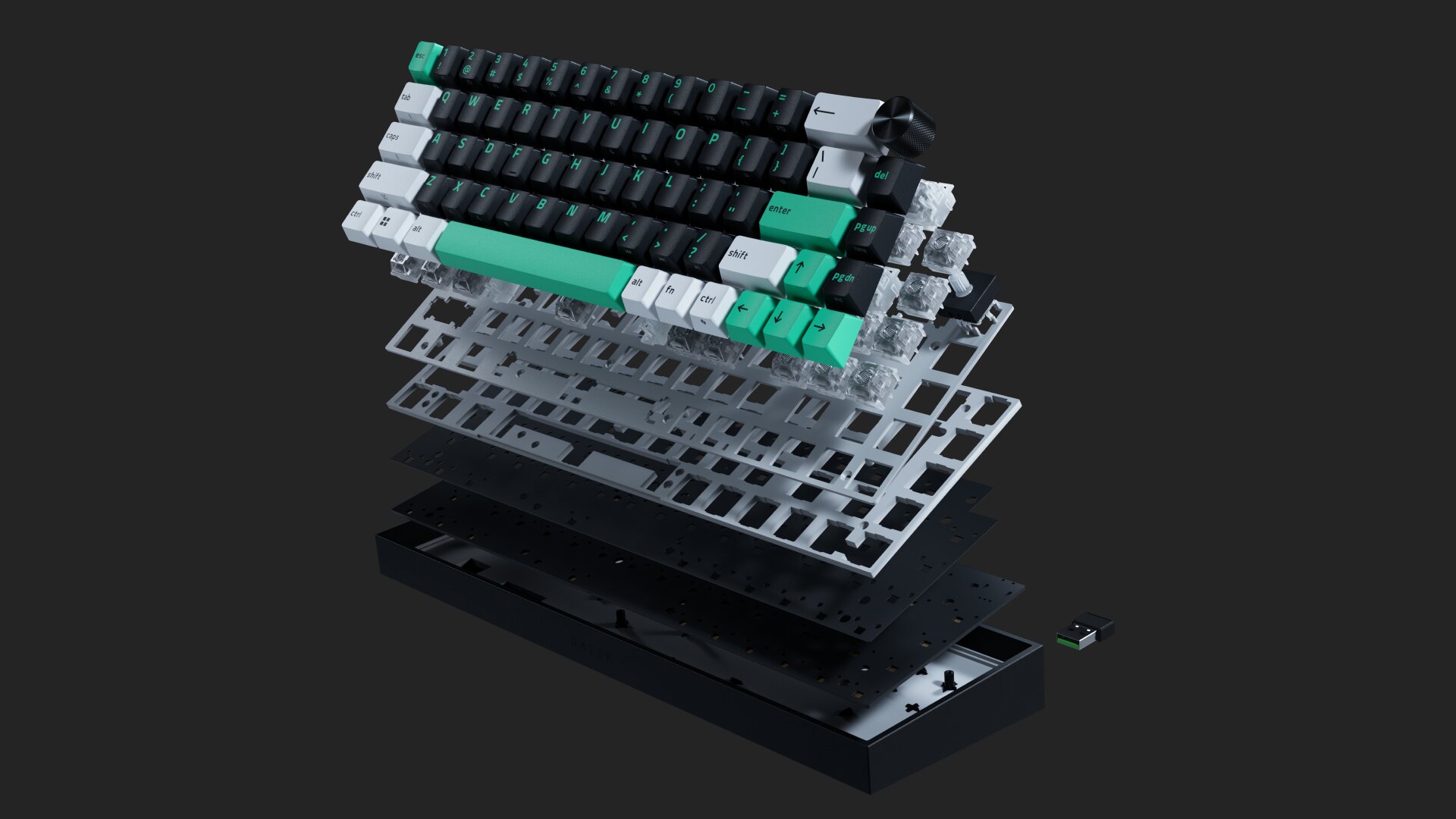
The first thing that jumps out at me is the build quality. Despite its compact size, this keyboard feels incredibly solid. It’s surprisingly heavy for its size, and that’s a good thing. Once it’s on your desk, it stays put. There’s no sliding around during intense gaming sessions, no creaking when you pick it up, and no feeling that corners were cut to achieve its smaller frame. It looks and feels premium from the moment you take it out of the box.
Size Isn’t Everything
Razer has clearly put a lot of effort into the overall construction. The chassis feels durable and dense. It just gives this keyboard a presence that many lightweight gaming keyboards simply don’t have. If you’re looking for something that feels substantial without taking up a ton of desk space at all, this keyboard nails that balance.
Aesthetically, it’s a gorgeous piece of hardware. The compact design looks modern and clean, and the color-coded keycaps are a surprisingly nice touch. I’ll likely muck up the white keys sooner rather than later, but I love how they add personality to the keyboard. The different colors help certain keys stand out without making the board look overly flashy. It’s one of those little design choices that makes the keyboard feel a little more unique.
A Pretty Little Typing Machine
Speaking of flashy, the RGB lighting is fantastic. The colors are vibrant, bright, and smooth across the entire board. Like most modern Razer products, the customization options are extensive. That said, the default lighting profile can be a bit much. The out-of-the-box flashing rainbow effects are certainly eye-catching, but they might be a little aggressive for some folks. Thankfully, a few minutes in the software lets you dial things back into something in your wheelhouse.
When it comes to typing and gaming, the Reclusa Mini really shines. The Hall Effect magnetic switches feel fantastic. Keystrokes are smooth, responsive, and extremely precise. There is just the right amount of click and feedback without becoming distracting or overly loud. Every keypress feels intentional and satisfying. Whether you’re typing emails, writing reports, or spending hours gaming, the overall experience is excellent.
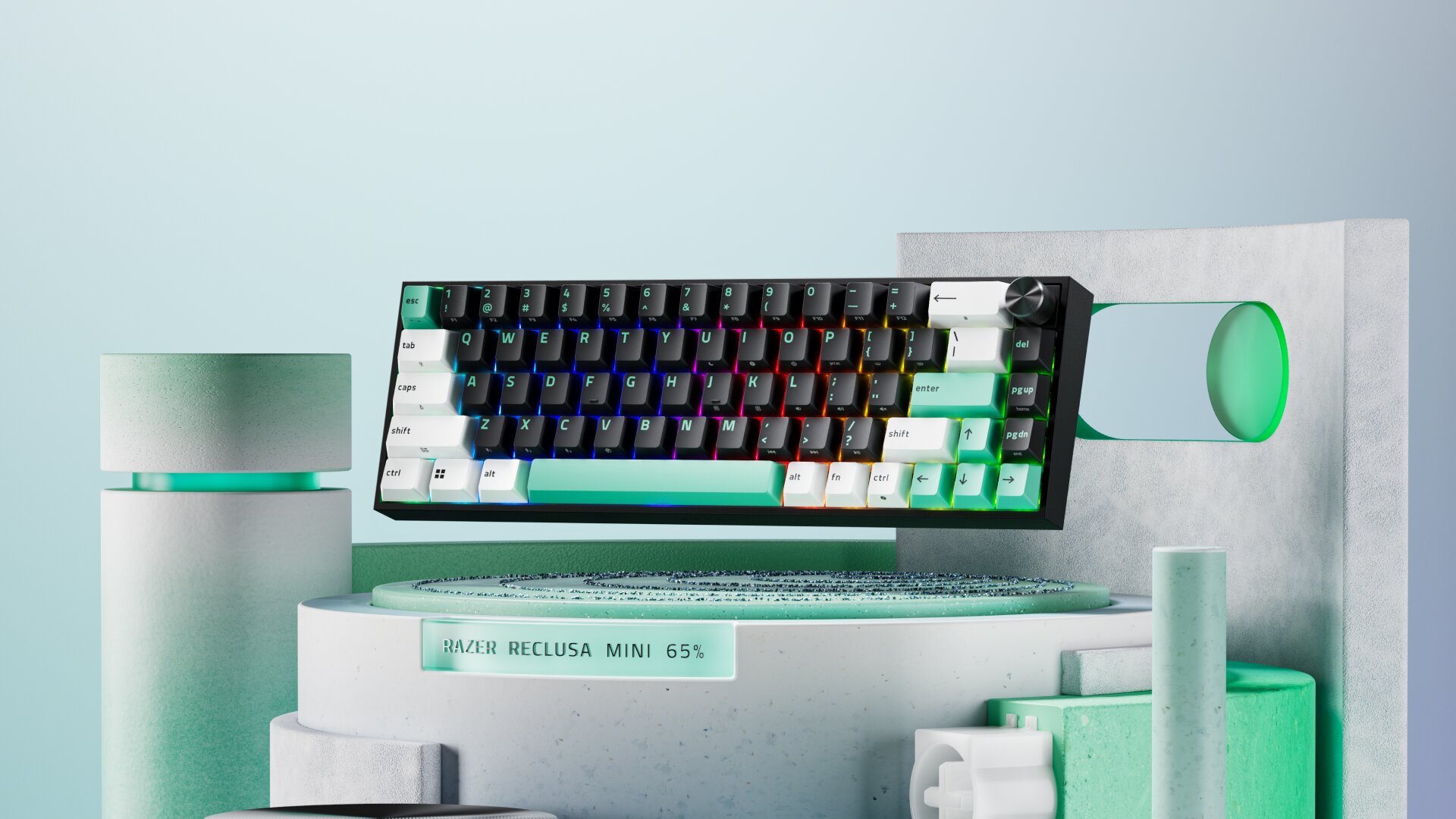
The keyboard’s responsiveness is immediately noticeable. Inputs register instantly, and the adjustable actuation technology allows folks to fine-tune the experience to their preferences. While competitive gamers will undoubtedly appreciate features like Rapid Trigger and customizable actuation points, even casual users will notice how quick and effortless the keyboard feels.
What impressed me most wasn’t necessarily a single gaming feature, but rather how refined the keyboard feels during everyday use. The sound profile is clean, the keys are stable, and everything feels polished. Razer’s efforts to improve acoustics and overall feel are noticeable. This is one of those keyboards that makes you want to keep typing.
Big Personality, Smaller Footprint
The tri-mode connectivity is also a welcome addition. Whether you prefer a wired connection for gaming, Razer HyperSpeed wireless, or Bluetooth for productivity devices, the Reclusa Mini offers plenty of flexibility without compromising performance.
Another standout feature is the multifunction knob in the top-right corner. It might seem like a small addition, but it quickly becomes something you use constantly. Adjusting volume on the fly is convenient, and the knob has a satisfying feel that matches the rest of the keyboard’s premium construction. It’s one of those features that’s easy to overlook until you’ve lived with it for a while, and then you wonder why every keyboard doesn’t have one.
Enthusiasts will also appreciate the ability to swap compatible magnetic switches, allowing the keyboard to evolve alongside your preferences without replacing the entire board.
Of course, there are tradeoffs.
The biggest downside is simply the nature of a 65% keyboard. If you’re coming from a traditional full-size keyboard, you’ll likely miss the numpad and the additional dedicated keys that many inexpensive full-size boards include. Certain shortcuts take a little getting used to, and some users may never entirely adapt. That’s the price of going compact.
However, what you lose in keys, you gain in portability and desk space.
The Reclusa Mini is incredibly easy to fit into virtually any setup. Whether you’re gaming at a crowded desk, using a small workstation, or packing your gear for travel, the compact dimensions make a huge difference.
Compact Design, Serious Performance
At the end of the day, the Razer Reclusa Mini 65% is a beautiful little keyboard that delivers where it matters most. It combines premium build quality, excellent responsiveness, satisfying switches, impressive RGB lighting, and thoughtful features into a compact package that feels far more substantial than its size suggests. Yes, you’ll probably miss your numpad. Yes, the default RGB settings may convince your neighbors that a nightclub has opened in your office. But those are minor complaints in what is otherwise a fantastic keyboard.

This keyboard is particularly well suited for gamers who want Hall Effect performance and extensive customization in a compact form factor, but it’s equally capable as a daily driver for work and general productivity.
For gamers, especially those looking for a compact keyboard that can travel easily while still feeling premium, the Reclusa Mini 65% is an easy recommendation. It’s sturdy, responsive, attractive, and simply a pleasure to use. Most importantly, it proves that good things really do come in small packages.
***The keyboard was provided by Razer for the purpose of this review***
The Good
- Excellent build quality
- Smooth and responsive switches
- Customizable RGB lighting
- Versatile tri-mode connectivity
- Compact design
The Bad
- 65% layout takes some getting used to
- Default RGB lighting can be overly aggressive
- Missing numpad and function row may frustrate